You should only copy a resource of like Resource Type. For example, you can copy a Content-Assessment type of resource to create another Content-Assessment, but you should not copy a Content-Assessment type of resource to create a Video Resource Type.
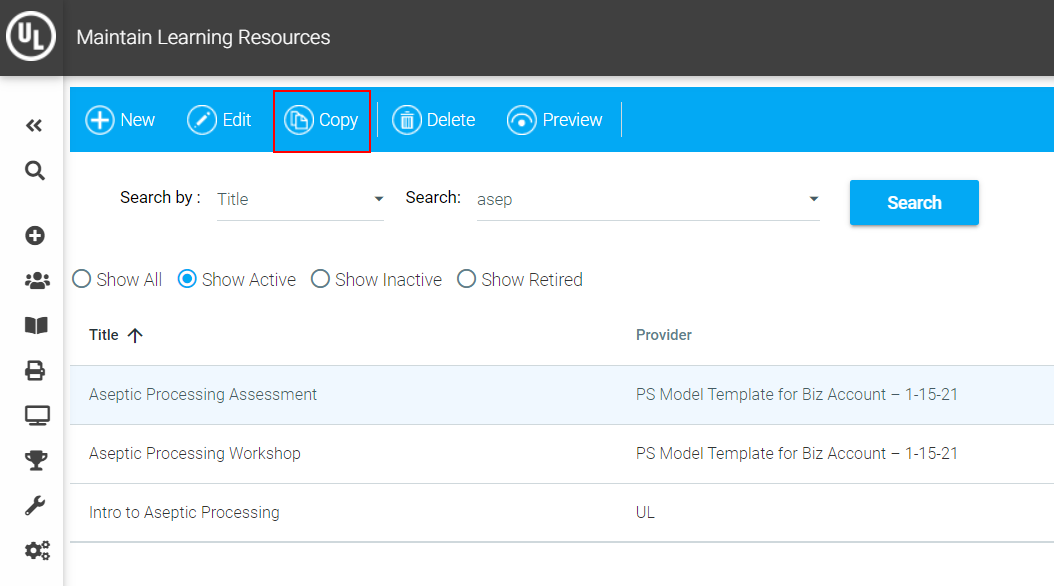
On the System Admin Console, click Resources > Maintain Learning Resources.
Search for the course. Click on the title of the resource to highlight it.
Click the Copy button in the Maintain Learning Resources toolbar.
A copy of the resource will open. Note that the system automatically appends (Copy #) to the title. Edit the title if you wish.
Make any other updates to the learning resource necessary and click the Save button.
The copied resource is an exact copy of all the settings for the original resource, with the following exceptions:
Once a copy of a resource has been made, the two resources are not "linked" to each other in any way. Changes to the original course will not be automatically reflected in the copy.